
Everything Waterline does for your pool company.
The CRM for pool builders, remodelers, service companies and spa dealers, on the web and on your phone. Price every job from your own records, then sell it, run it and get paid.
Know your number before the estimate goes out.
Every plan includes these. Teams get roles, crews, commissions and the API with Enterprise.
- Price checkEvery estimate is checked against your similar past jobs: what you usually win at, what those jobs really cost, and a suggested price that keeps your profit target. You decide the price.
- Business numbersMonthly profit and loss, break-even, what each lead source costs per job won, and margins by job. Owners and admins only.
- Starter price booksAbout 260 items for pool builders, remodelers, service companies and spa dealers at typical U.S. prices. Change any price or unit.
- Your brand on every pageYour logo, name and color lead on estimates, invoices and change orders.
- Ask Waterline AIThe built-in assistant answers from your own records: why a price was suggested, which jobs lost money, what a customer still owes. It explains. It never sets your price.
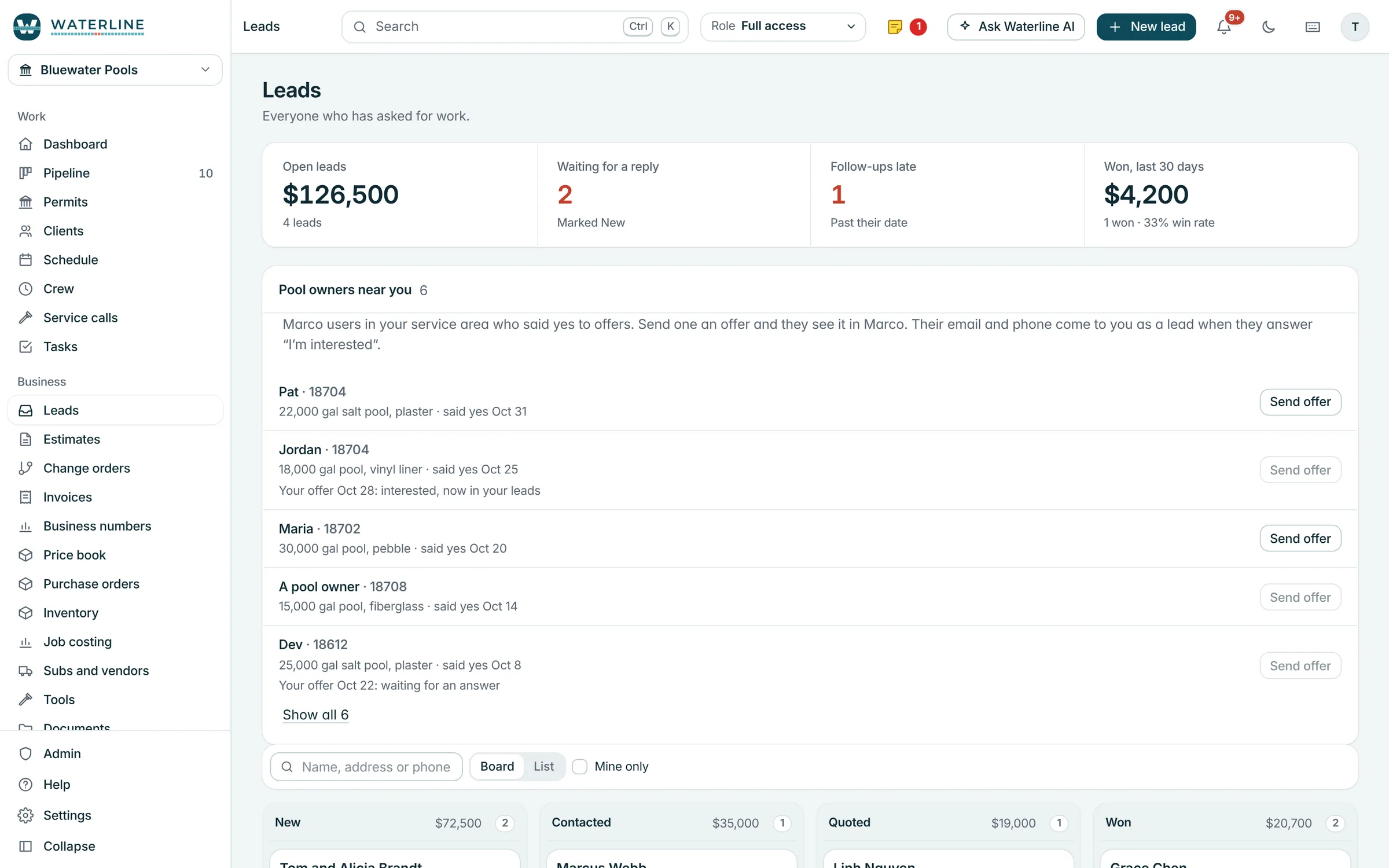
- Leads from MarcoPool owners near you describe their project to Marco, our free app for pool owners, and it lands in your leads with their OK to call.
From the first call to a signed estimate.
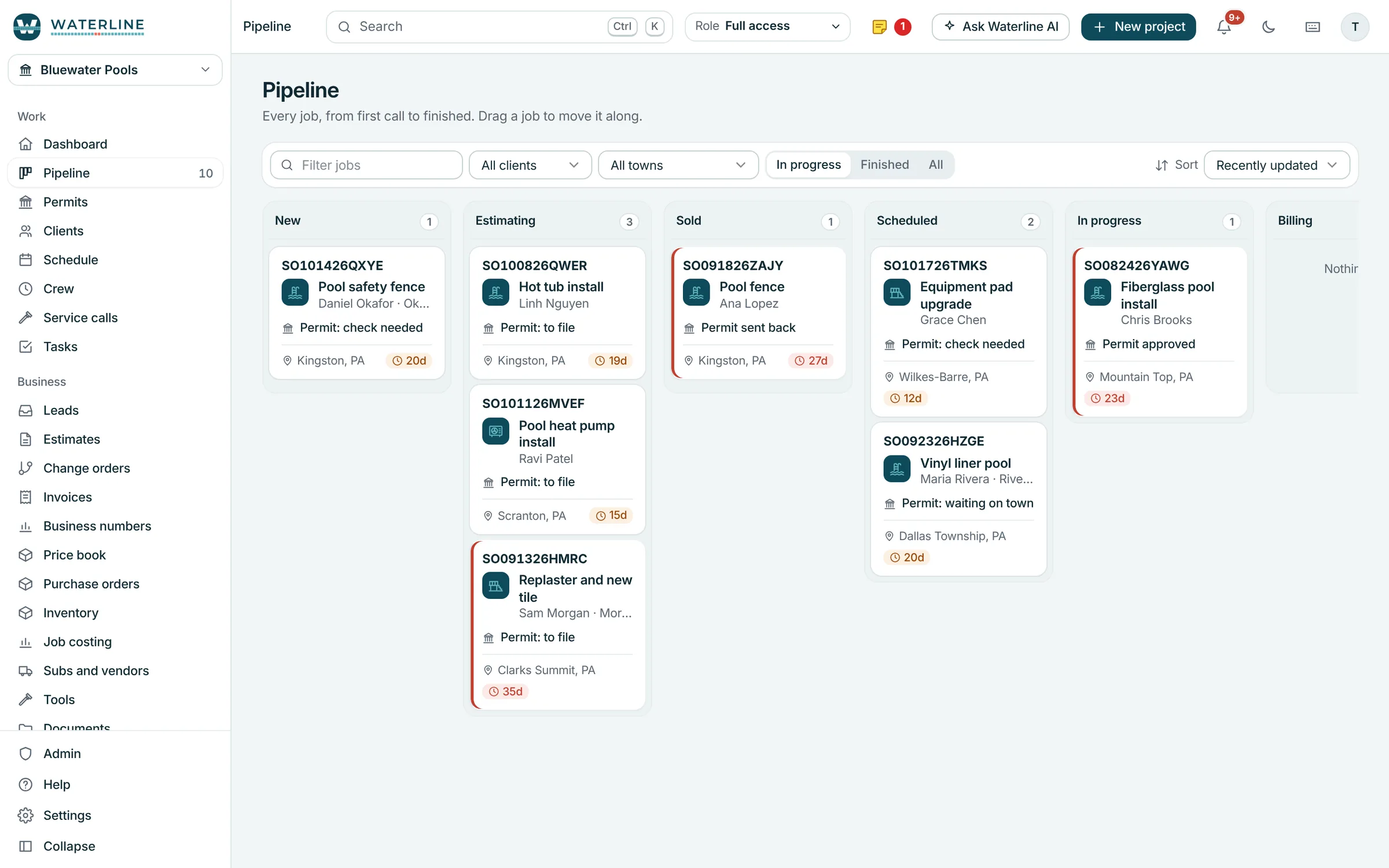
Pipeline
Every lead and job by stage: new, estimating, sold, scheduled, in progress, billing and finished. Drag a job to move it along.
- Leads keep their source, so you see where your work comes from
- Mark a lead won and it becomes a customer and a job
- Lost leads keep their reason
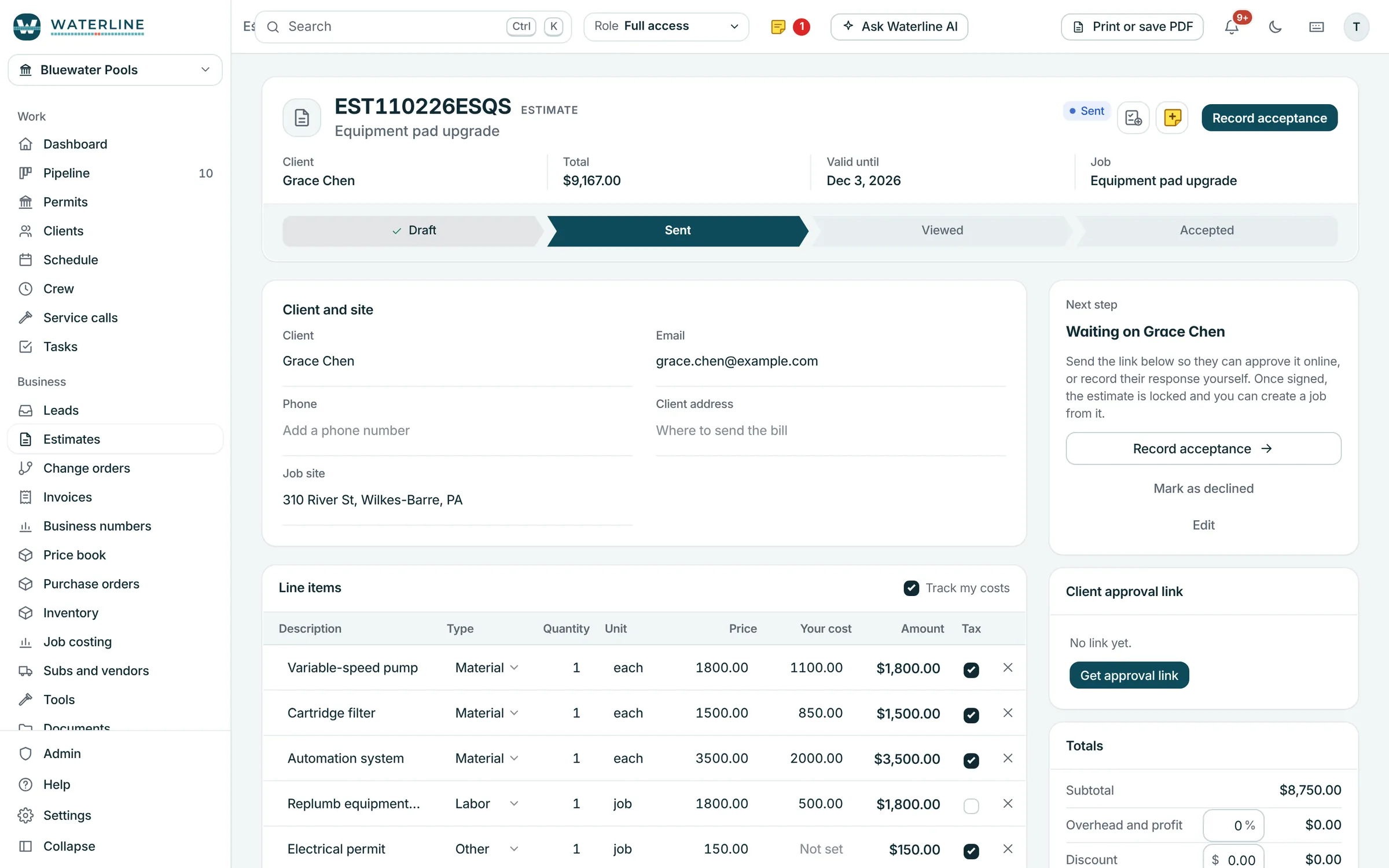
Estimates customers sign
Build the estimate from your price book. Send a link and they sign from their phone, or hand them your screen and they sign with a finger or Apple Pencil.
- Markup and tax applied for you
- Your deposit, terms and warranties filled in on every new estimate
- A signed estimate can turn into the first invoice
Calls, emails and texts
Send emails and texts from Waterline and log calls on the customer. Their whole history sits in one place: jobs, estimates, invoices, service calls and total spent.
Every crew, every job.
- Scheduling and tasksInstalls, inspections, meetings and reminders across every job. Give anyone a task with a date and time; they get an email.
- Purchase orders and inventoryOrder equipment and materials for a job, then receive it onto the job or onto the shelf.
- Permits and inspectionsApplications and inspections tracked on the job. When one fails, the re-inspection is lined up for you.
- Service and warranty callsCallbacks tied to the job, its customer and its warranty, marked under warranty or billable for you.
- Daily logs, photos and documentsWeather, who was on site and what happened, with photos. Plans, permits and signed paperwork kept on each job.
- CrewClock in from a phone and see today's jobs and tasks. Owners see everyone's hours for the week. Enterprise.
Bill every stage. Know what each job made.
- Invoices and paymentsDeposits, progress bills and final invoices. Customers pay by card or bank from a link, and the payment is recorded on the invoice by itself.
- Job costingBudget against actual on every job, with received orders and stock counted in.
- QuickBooks Online and XeroQuickBooks Online is built in. Every plan downloads files for QuickBooks Online and Xero.
- Commissions and payrollYour own commission plans, with a payroll file for ADP, Gusto or Paychex. Enterprise.
One login for the office, the crews and your customers.
- Customer portal in MarcoCustomers sign and pay from a link, no account needed. Invite them to Marco and they follow the job, see photos, approve change orders and message you, under your brand.
- Team rolesEach person sees the pages their role needs. One person can hold several roles. Enterprise.
- Subs, vendors, tools and fleetThe people, companies, tools and trucks behind your jobs, with their documents and dates.
- Slack, Teams, Google Chat and DiscordNew leads, signed estimates, payments and job updates posted to your channel. Enterprise.
- Turn off what you don't useHide whole sections or single features for the whole company. Nothing is deleted. Turn it back on any time.
- On your phoneWrite an estimate at the equipment pad, get it signed, log the day and clock in from the iPhone app.
See it with your own jobs.
Start free for a week. Bring your customers, jobs and price book over from a spreadsheet.